

Most REST API requests require an Authorization header to securely
access and modify server resources. The Metafold REST API uses JSON Web Tokens
(JWT) for secure authentication. At the moment the only method to retrieve a JWT
is through a client credentials authorization flow, which is often best handled
using a third-party library. This document describes a few convenient options, though it
is far from exhaustive!
Creating a client
Client credentials (ID and secret pair) are required to authenticate with the Metafold API. You may create a client through the Metafold account page.
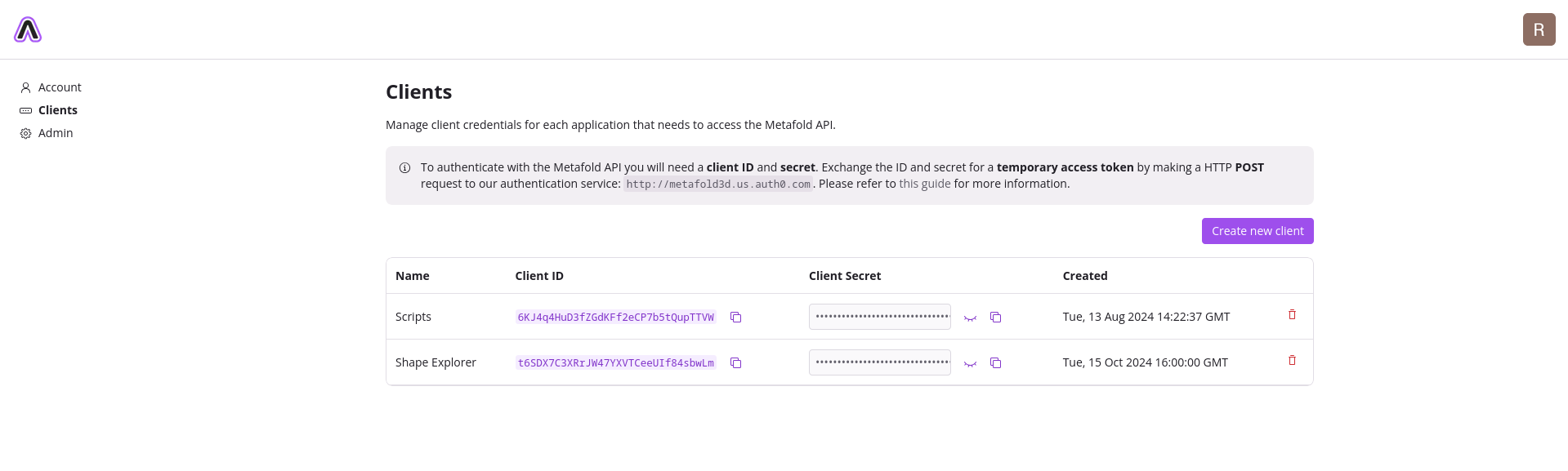
The client secret must be kept secure.
In the event the client ID and secret are compromised, attackers may gain full access to the user’s private resources. The compromised client may be deleted from the account page to invalidate existing access tokens and prevent further client credentials exchanges.
While access tokens expire within 24 hours, they provide direct access to user resources and should also be kept secret.
Exchanging an access token (HTTP POST)
The client ID/secret pair must be exchanged for an access token that may be used to
authenticate with the Metafold API. Exchanging your client credentials can be done with
a HTTP POST request to our authentication service:
POST https://metafold3d.us.auth0.com/oauth/token
With the following parameters in the request body:
| Parameter | Description |
|---|---|
grant_type |
Must be client_credentials. |
audience |
Must be https://api.metafold3d.com. |
client_id |
Your client ID. |
client_secret |
Your client secret. |
The response is encoded as application/json and includes the following fields:
| Field | Description |
|---|---|
access_token |
JWT access token that may be used to authenticate with the Metafold API. |
expires_in |
The returned access token expires in this many seconds. |
Note that new access tokens expire within 24 hours and must be refreshed to renew access to our API.
Access tokens should be included in the request header in the following form:
Authorization: Bearer $access_token
Exchanging an access token (Auth0 SDK)
You may alternatively find it easier to authenticate using one of Auth0’s many SDK libraries. The example below uses the Auth0 Node.js SDK.
import { AuthenticationClient } from "auth0";

const API_BASE_URL = "htttps://api.metafold3d.com/";

const auth0 = new AuthenticationClient({
  domain: "metafold3d.us.auth0.com",
  clientId: "<client_id>",
  clientSecret: "<client_secret>",
});
const { data: { access_token: accessToken } } = await auth0.oauth.clientCredentialsGrant({ audience: API_BASE_URL });
console.debug(accessToken); // e.g. "eyJhbGciOi..."

const url = new URL("/user/usage", API_BASE_URL);
const res = await fetch(url, {
  headers: {
    Authorization: `Bearer ${accessToken}`,
    Accept: "application/json",
  },
});
console.debug(await res.json()); // { projects: 32, assets: 64, ... }
Auth0’s SDKs often provide additional handling for refreshing tokens, etc.
Exchanging an access token (Metafold Python SDK)
Perhaps the most convenient option is to rely on the Metafold SDK to automatically handle authentication. The example below uses the Metafold Python SDK (this feature is not yet supported in the Metafold Node.js SDK).
from metafold import MetafoldClient

client = MetafoldClient(
        client_id="<client_id>",
        client_secret="<client_secret>",
)
projects = client.projects.list()
print(projects)  # [Project(id='123', ...)]
Tokens are automatically refreshed when needed.